Nozzle stuck – hotend residue adhesion
Bambu Lab H2S • Série Comercial H2
Nozzle stuck – hotend residue adhesion
Hotend and Heating Assembly
A small amount of filament may remain between the quick-release hotend and the heating assembly, making it impossible to remove the nozzle at low temperatures. This article uses the A1 as an example, and the operating steps for all quick-release hotends are the same.
Required Tools and Materials
- Heat-insulating gloves
- Tweezers
- Paper towels
Operation Steps
Aviso de Segurança
Before performing any maintenance work on the printer and its electronic devices (including the toolhead cable), turn off the printer power and disconnect the power supply to avoid accidental screen touches or circuit short circuits that may cause additional electronic device damage and safety hazards.
When performing maintenance or troubleshooting on the printer, first confirm the temperature of the hotend and heatbed. Avoid operating at high temperatures. If you must operate at high temperatures, wear heat-insulating gloves to ensure safe and effective maintenance work.
Remove the Hotend
Press the filament cutter lever to cut off any possible filament.

Set the nozzle temperature to 220℃ via the screen.

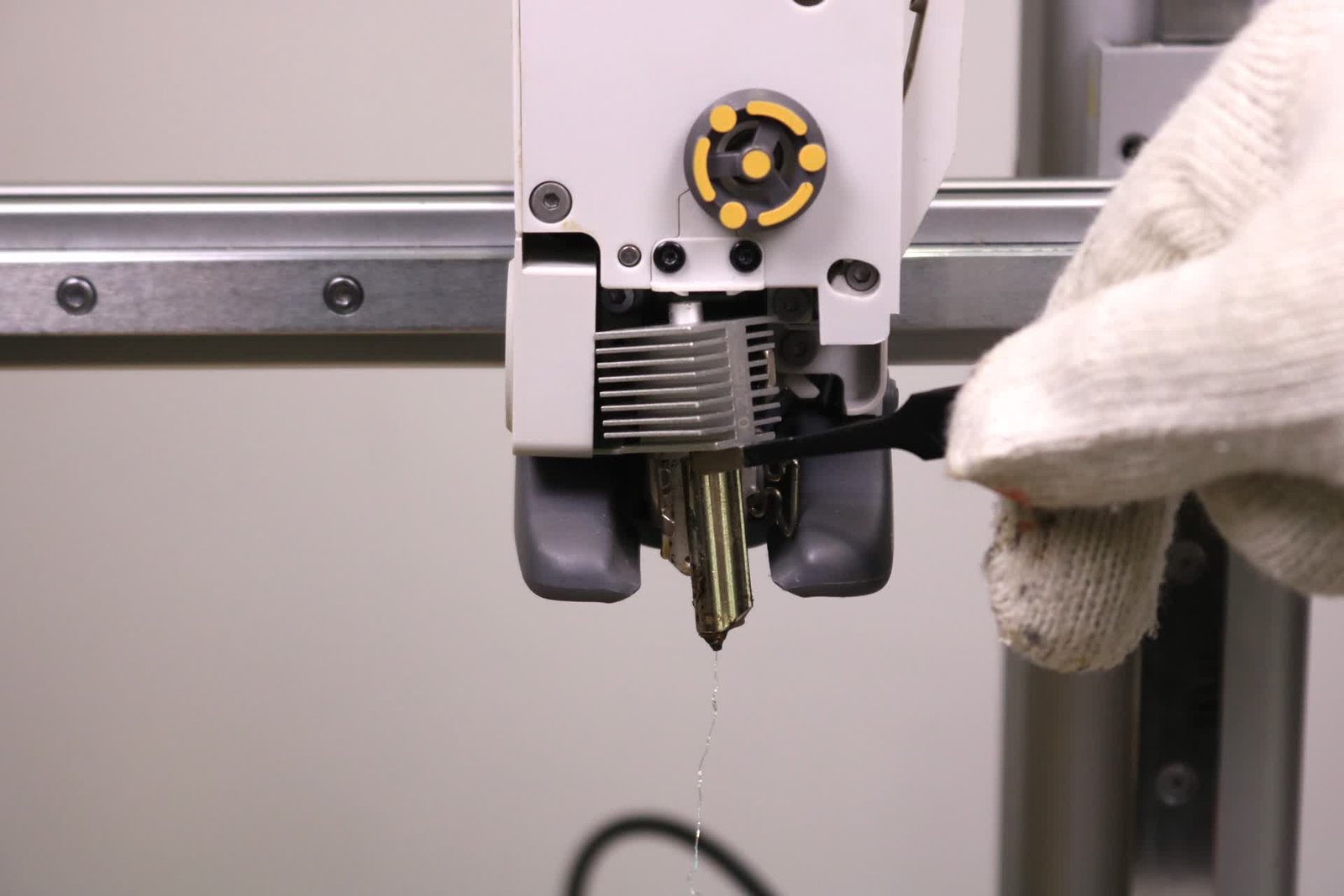
After the temperature rises, use tweezers to pry open the heating assembly locking tab.

Then use tweezers to grip and remove the nozzle.
Clean the Hotend
Wear heat-insulating gloves to complete this cleaning work, and pay attention to high-temperature scalds.
Wipe the nozzle surface firmly with a paper towel to ensure the nozzle is clean.

Then wipe the base of the heating assembly to ensure there is no obvious debris.

Install the Hotend and Silicone Sleeve
Wait for the hotend and heating assembly to cool down after cleaning, and place the hotend into the heating assembly after cooling.


Fasten the heating assembly locking tab correctly.

Install the silicone sleeve.

Notas Finais
We hope this guide has provided clear and practical support.
If the issue remains unresolved, please submit a support ticket and include your recent printer logs and additional pictures or other details. Our technical team will review your request and provide detailed assistance.
You can also visit Bambu AI, which can instantly answer common questions and provide you with operational guidance.