Guia de Recarga e Instalação de Canetas e Marcadores • Bambu Lab H3C
Guia de Recarga e Instalação de Canetas e Marcadores
Safety Atençãos
This product is an marker refill for drawing/printing devices. It is not food or drink; do not consume or taste it. Only for refilling pens/printing devices. Do not use for food decoration, skin painting, tattooing, or any other bodily application. The bottle’s color or shape may resemble drinks or condiments. Do not place it in the kitchen, dining area, or mix it with food and drinks.
Ensure good ventilation during use. Avoid contact with eyes, mouth, mucous membranes, and broken skin. Wash hands after use and tightly close the cap. Keep out of reach of children and pets. Children should only use this product under adult supervision.
If it gets on skin, wash with clean water. If it gets into eyes, immediately flush with running water and seek medical attention. If ingested, rinse mouth immediately, keep the bottle and label, and seek medical attention or contact a local emergency/poison control center. Dispose of empty bottles and remaining ink according to local regulations.
What’s in the Box
 |
 |
|---|---|
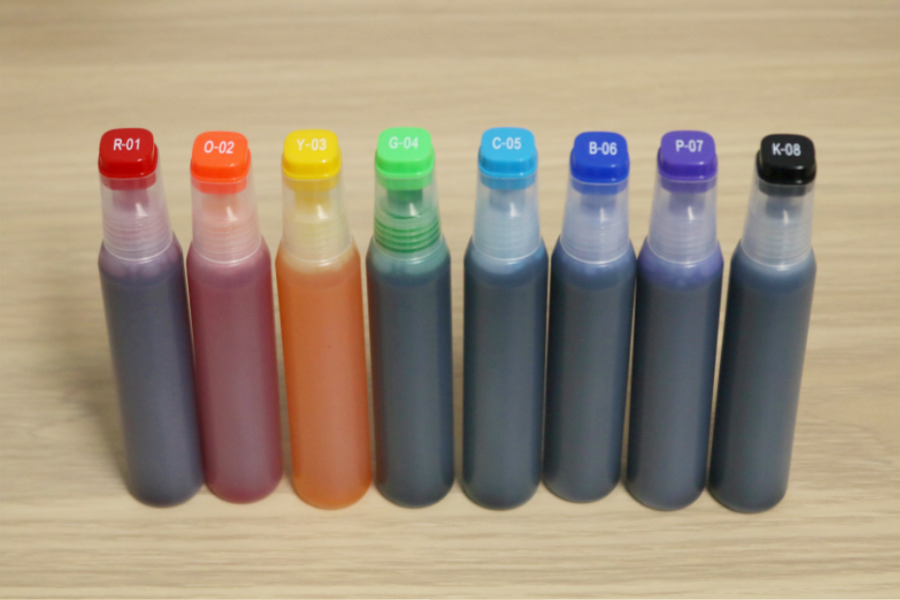
| Ink × 8 (Includes 8 colors: Red, Orange, Yellow, Green, Cyan, Blue, Purple, Black) |
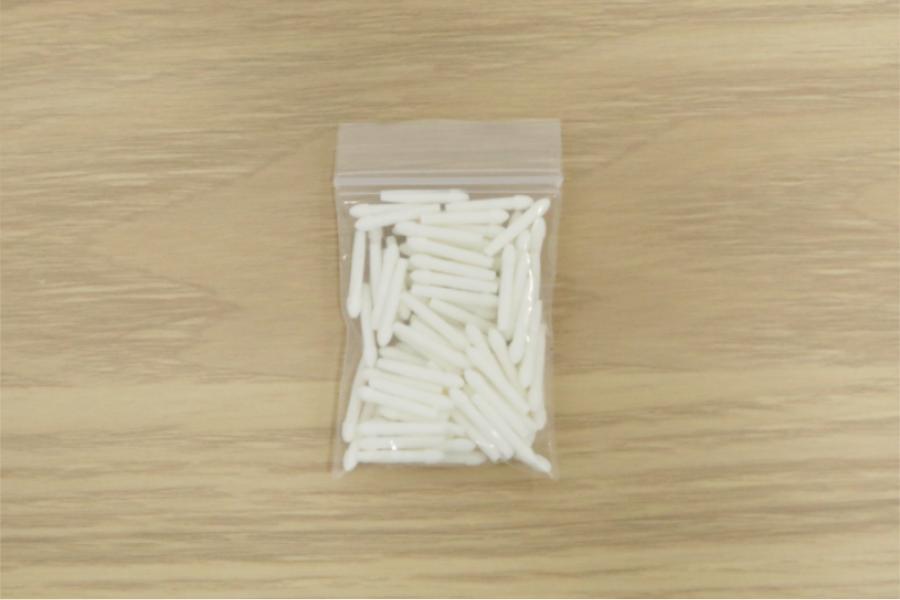
Nib |
Number and Color Correspondence
| Number | Color | Number | Color |
|---|---|---|---|
| R-01 | Red | O-02 | Orange |
| Y-03 | Yellow | G-04 | Green |
| C-05 | Cyan | B-06 | Blue |
| P-07 | Purple | K-08 | Black |
Marker Refill and Manutenção Preventiva Frequency
When to Refill Ink?
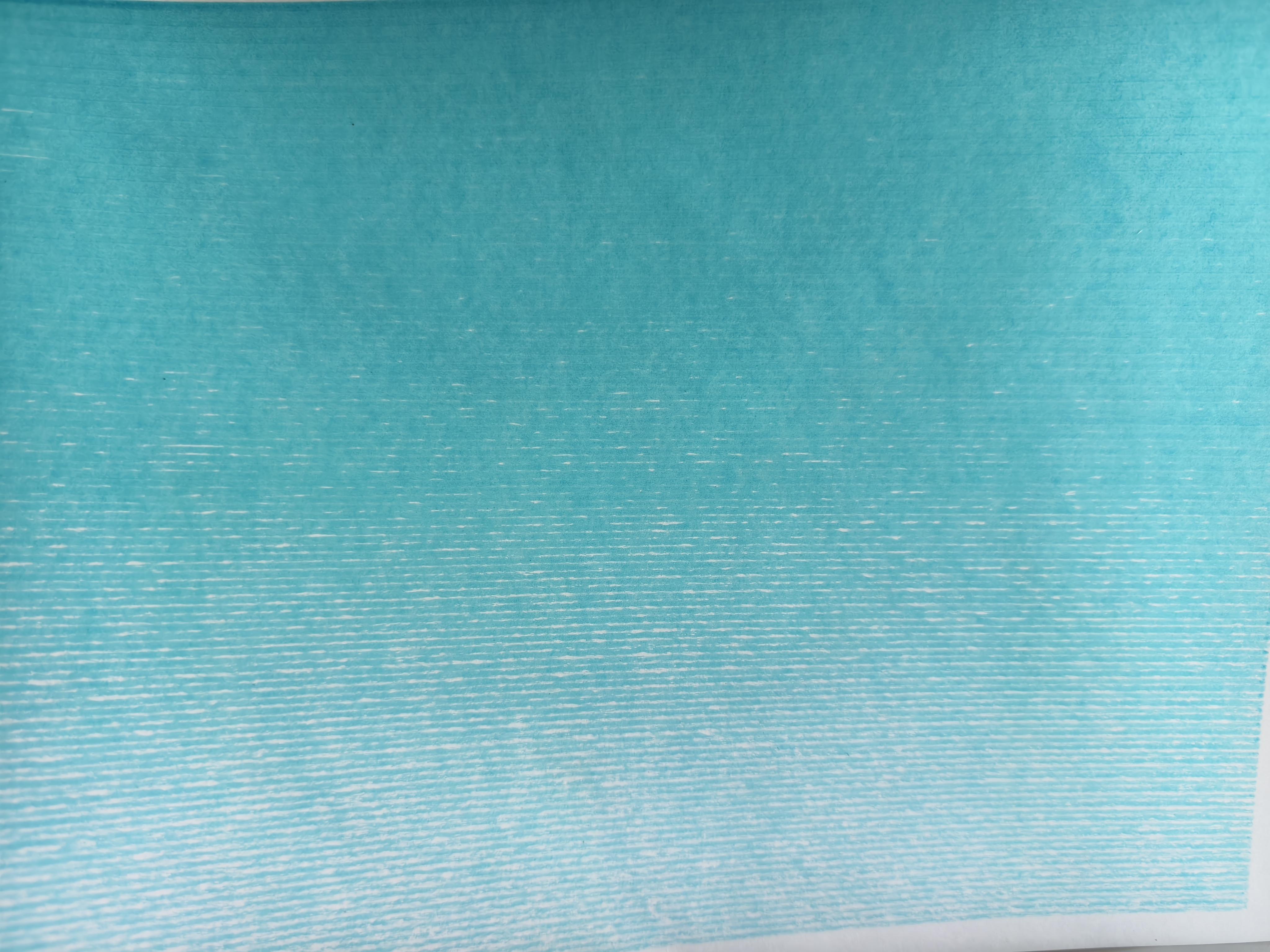
When lines become faint, ink flow is poor, or ink runs out quickly, follow the instructions below to refill the ink and let it stand for at least 30 minutes. You must also refill ink once after replacing with a new nib.
When to Replace the Nib?
Writing causes normal nib wear. The writing distance after each marker refill will gradually decrease. It is recommended to replace with a new nib after the 3rd marker refill.
Tip: Nib wear during use may cause the drawn line width to become wider, which is normal.
When to Replace the Pen?
If you have replaced the nib multiple times, and when using a new nib, the writing distance after refilling ink is still noticeably shorter, or ink cannot flow smoothly and consistently regardless of how much you refill, the pen core may be worn out. Please replace the entire pen.
Preparation
Before refilling ink, please print the auxiliary tool models.
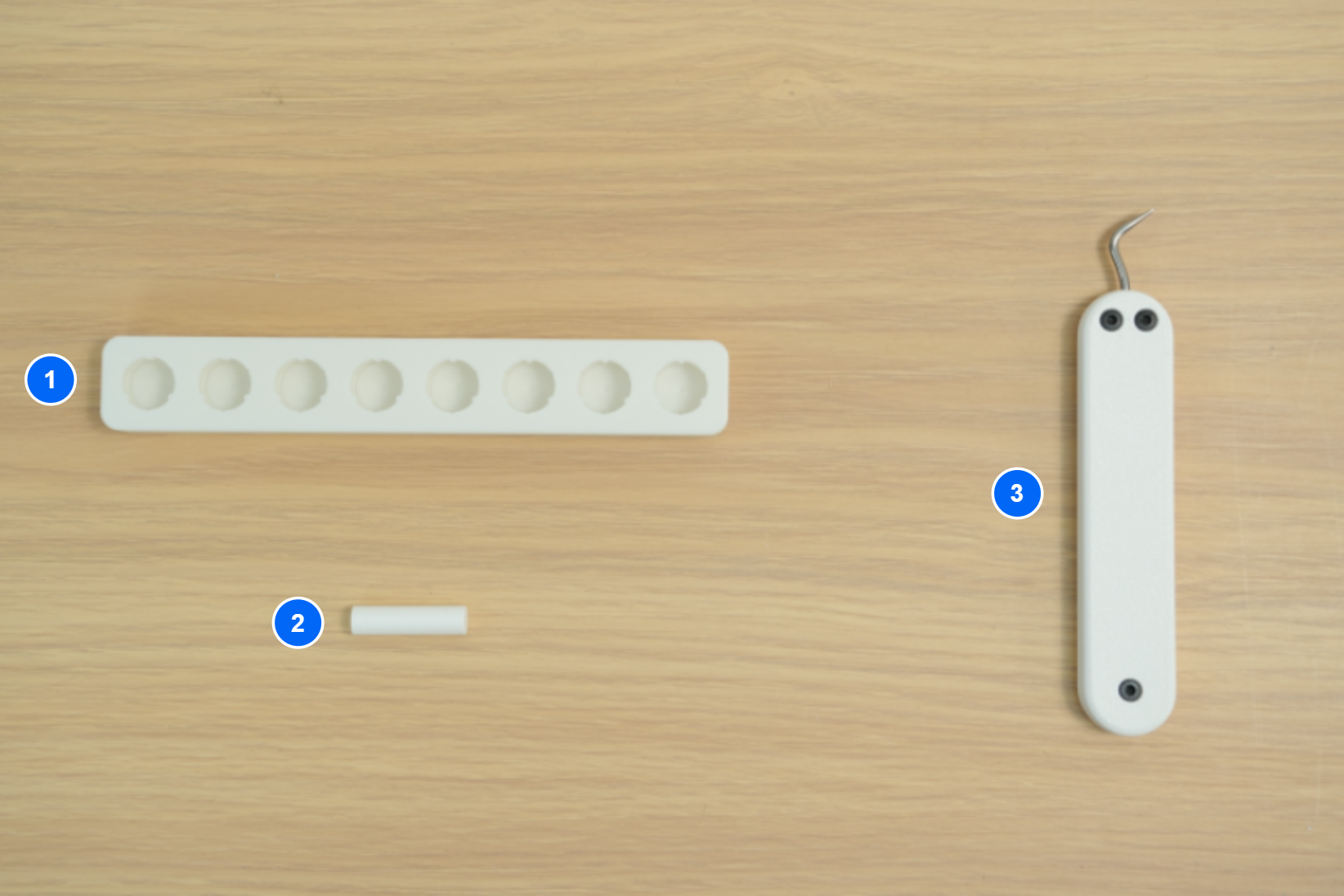
Go to MakerWorld or Bambu Handy, search for “Marker Refill Holder” and “Nib Replacement Pusher” in the official Bambu Lab account, then download and print the models before use.
| Model No. | Model Name | Introdução |
|---|---|---|
| 1 | Marker Refill Holder | Drip in ink, place the pen to refill |
| 2 | Nib Replacement Pusher | Assists in installing the nib, fully pushing it into the pen without damaging the nib. |
| 3 | Weeding Tool | Used for hooking and removing the old nib |
Refill Ink
Passo 1. Match the Ink Bottle
Match the Pen’s number to the corresponding ink bottle of the same color.
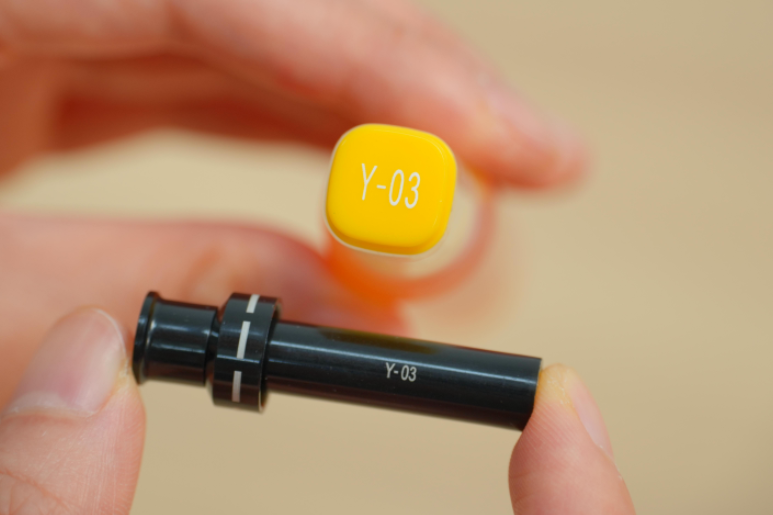
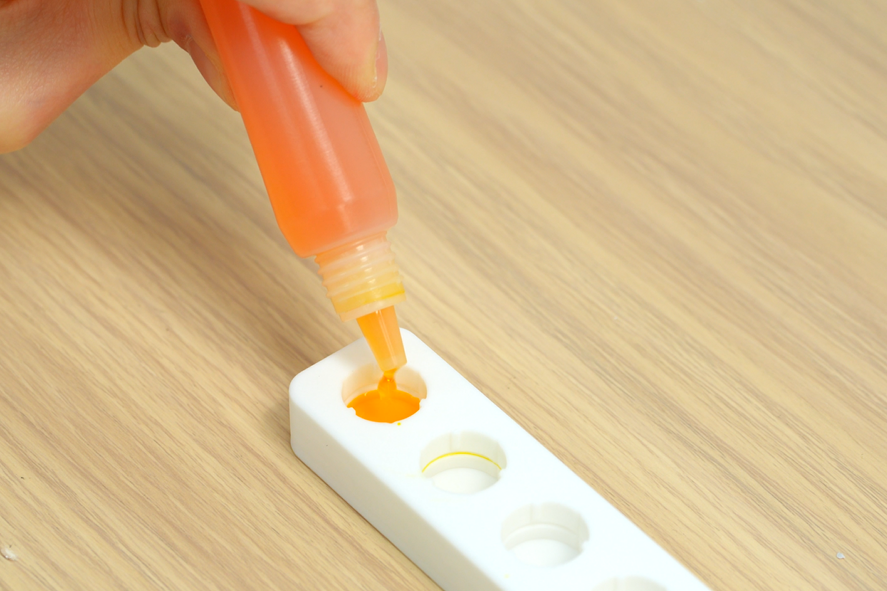
Passo 2. Add Ink
Open the ink bottle cap and drip an appropriate amount of ink into the marker refill slot. It is recommended to drip 15-17 drops or fill up to the horizontal line. Ensure the ink level does not touch the Pen’s marking, otherwise it may affect Pen identification.
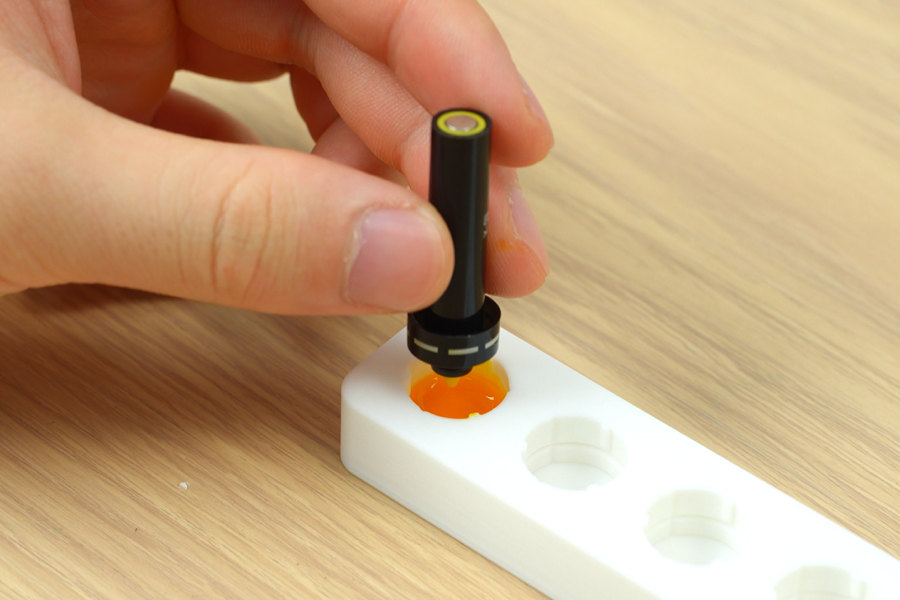
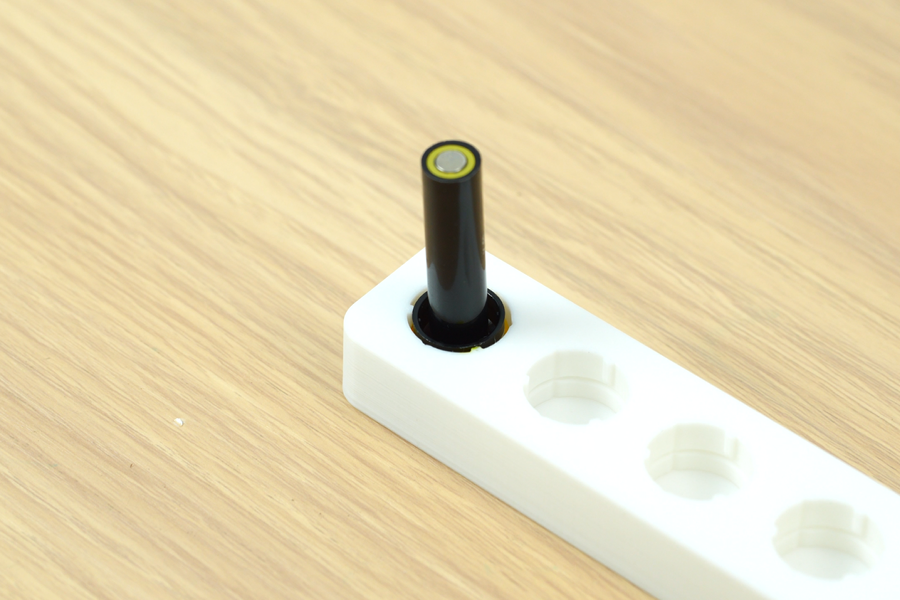
Passo 3. Place the Pen
Open the Pen Cap, nest the Pen in the corresponding slot, and wait for 30 minutes.
 |
 |
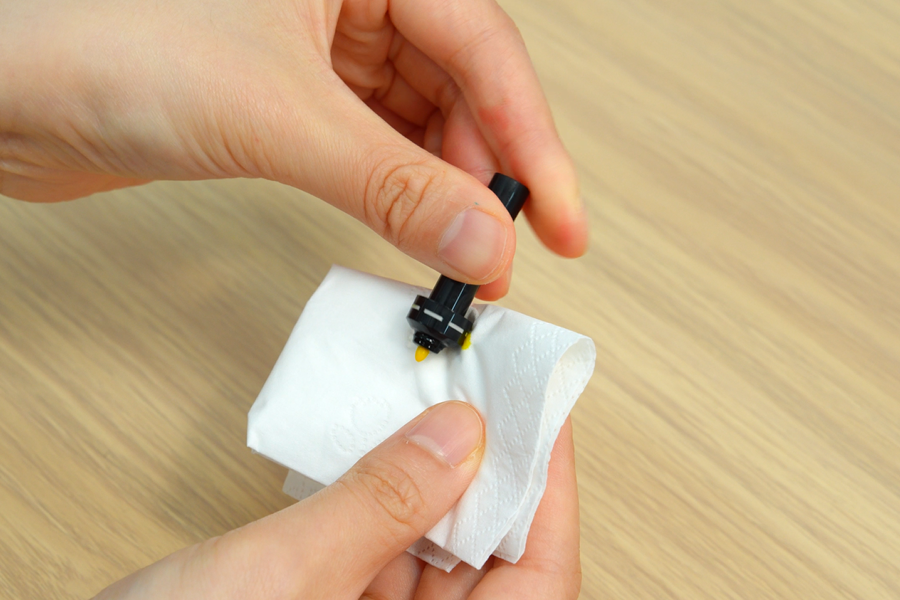
Passo 4. Clean the Pen
Wipe the Pen body clean with a tissue, ensuring the identification mark is free of ink. If the identification mark on the Pen body is accidentally stained, you can manually edit the Pen type.
After long periods of disuse or after each ink refill, initial drawings may show excessive ink flow and overly thick lines. It is recommended to first draw a few lines on scrap paper until the ink flow is even before returning it to the machine for regular use.
Replace Nib
When the same nib has been refilled with ink 3 times, it is recommended to replace it with a new nib.
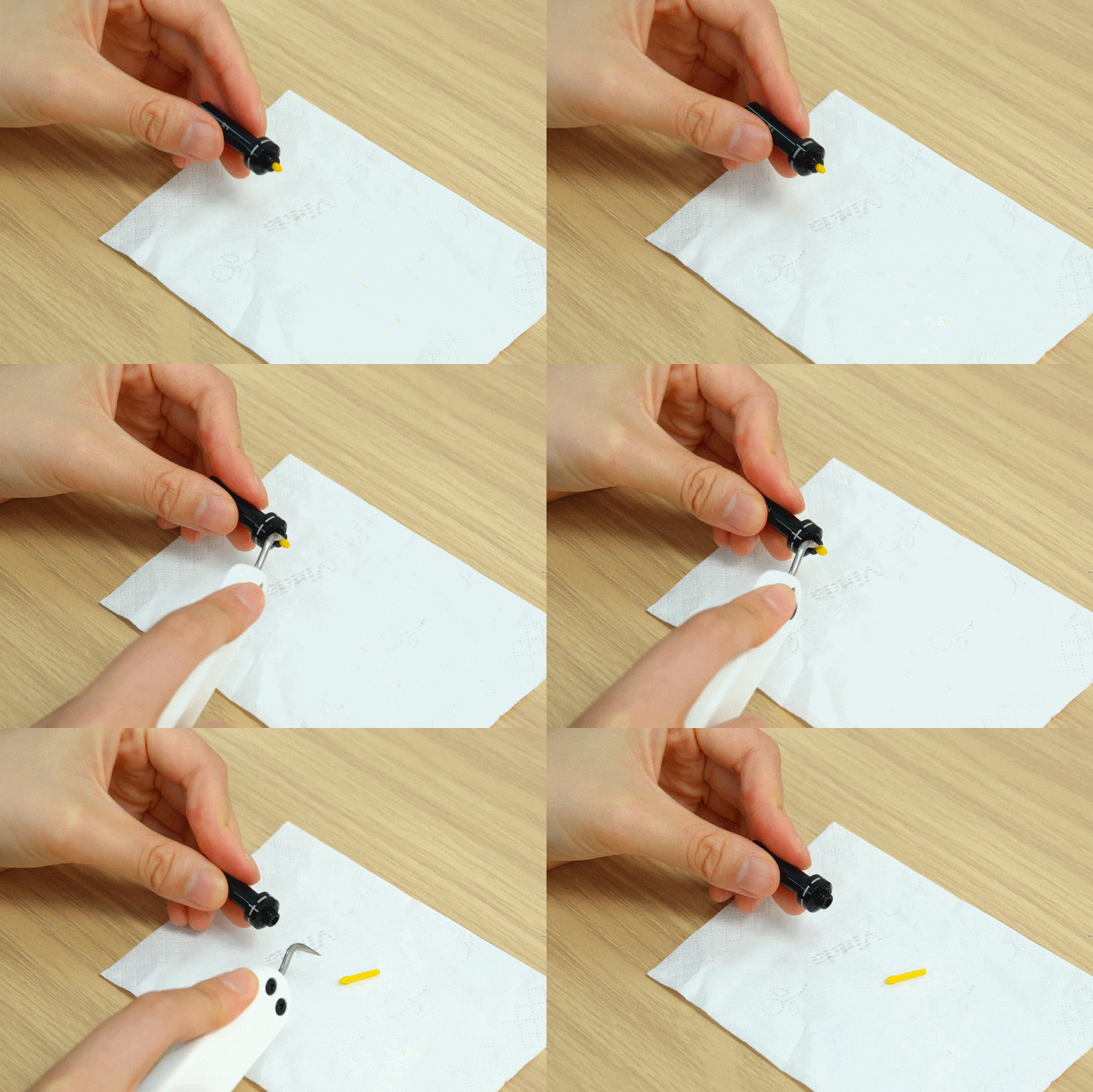
Passo 1. Remove the Old Nib
Use the Weeding Tool to hook out the old nib.
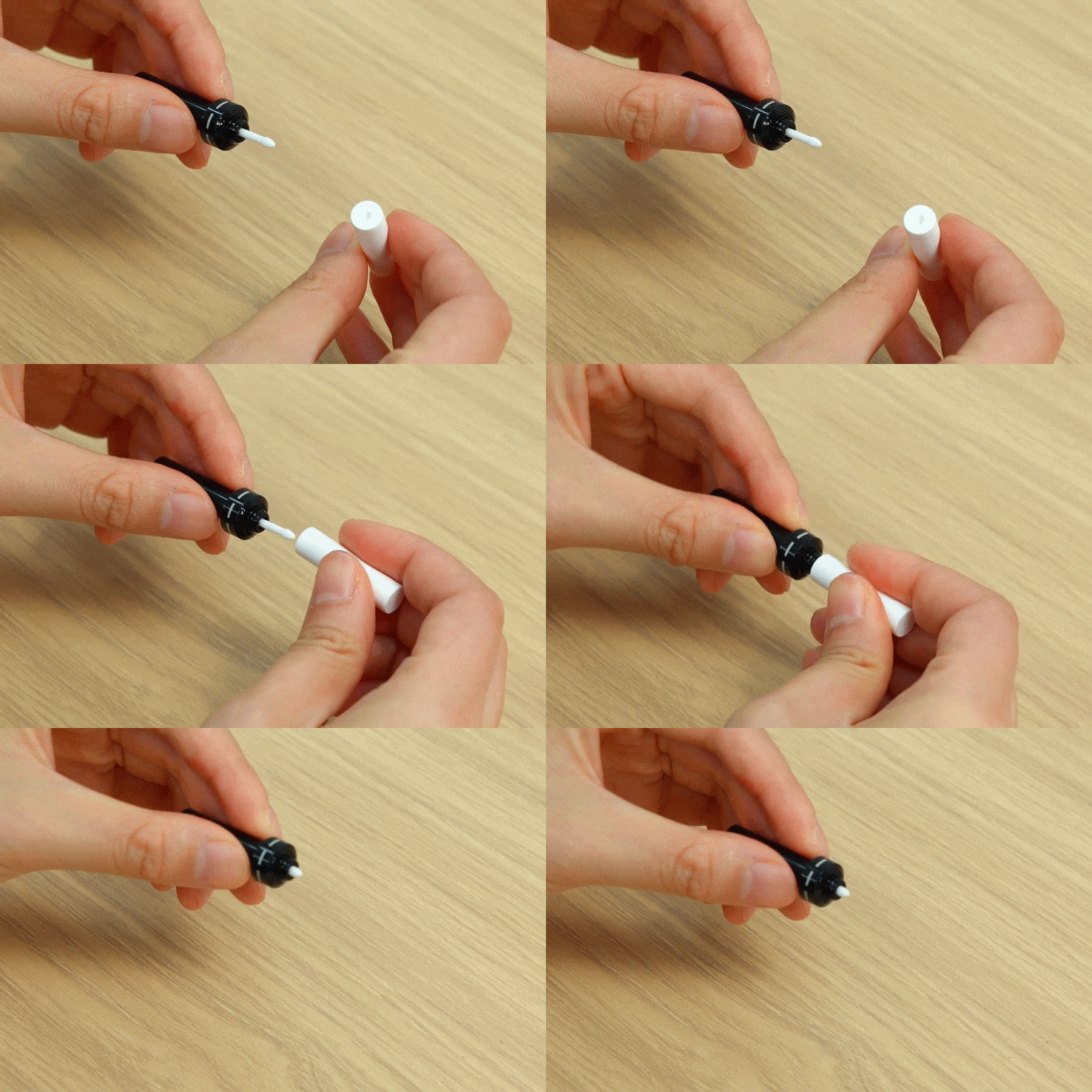
Passo 2. Install the New Nib
Take a new nib from the accessories. Align and insert it into the Pen. Then, use the concave part of the replacement nib pusher to fully push the nib into the Pen.
Tip: Before use, check that the replacement nib pusher is free of residual ink. If any is present, wipe it clean, otherwise different colored inks may stain the Pen.
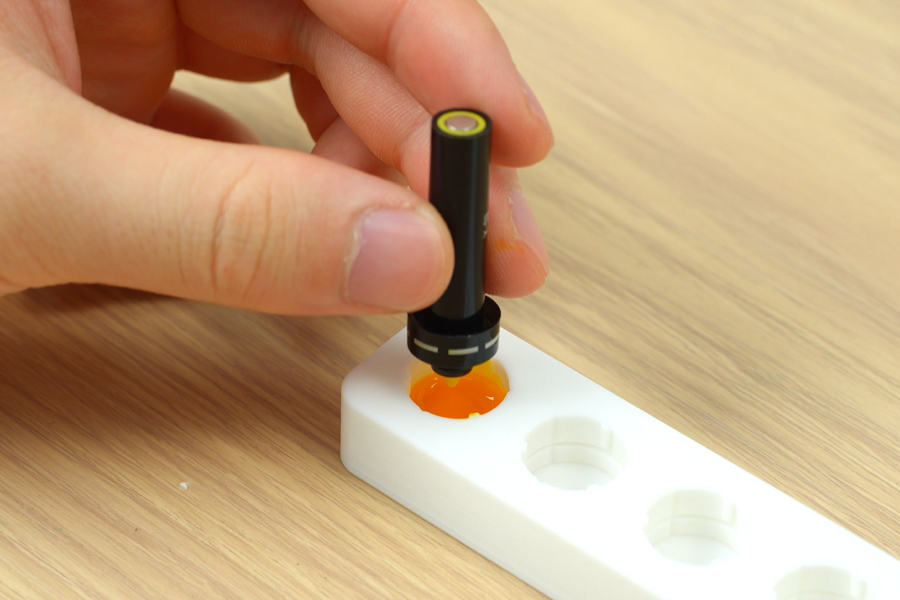
Passo 3. Refill Ink
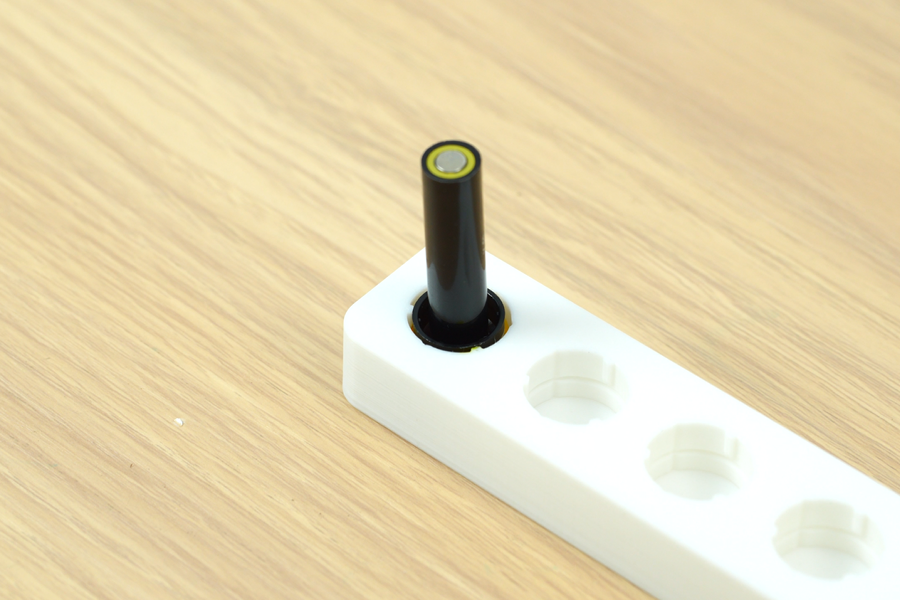
Following the “Refill Ink” steps, nest the Pen in the corresponding slot and wait for 30 minutes. After refilling ink, clean the Pen, ensuring the identification mark on the Pen body is free of ink.
 |
 |
End Notes
We hope this guide has provided clear and practical support.
If the issue remains unresolved, please submit a support ticket and include your recent printer logs and additional pictures or other details. Our customer support team will review your request and provide detailed assistance.
You can also visit Bambu AI, which can instantly answer common questions and provide you with operational guidance.
Ainda tem dúvidas sobre este procedimento na H3C?
O nosso suporte inteligente 3DFMaster com IA analisa fotos do seu equipamento e auxilia no diagnóstico 24/7.