Side Glass Replacement Guide
Bambu Lab H3C • Série Industrial H3
Side Glass Replacement Guide
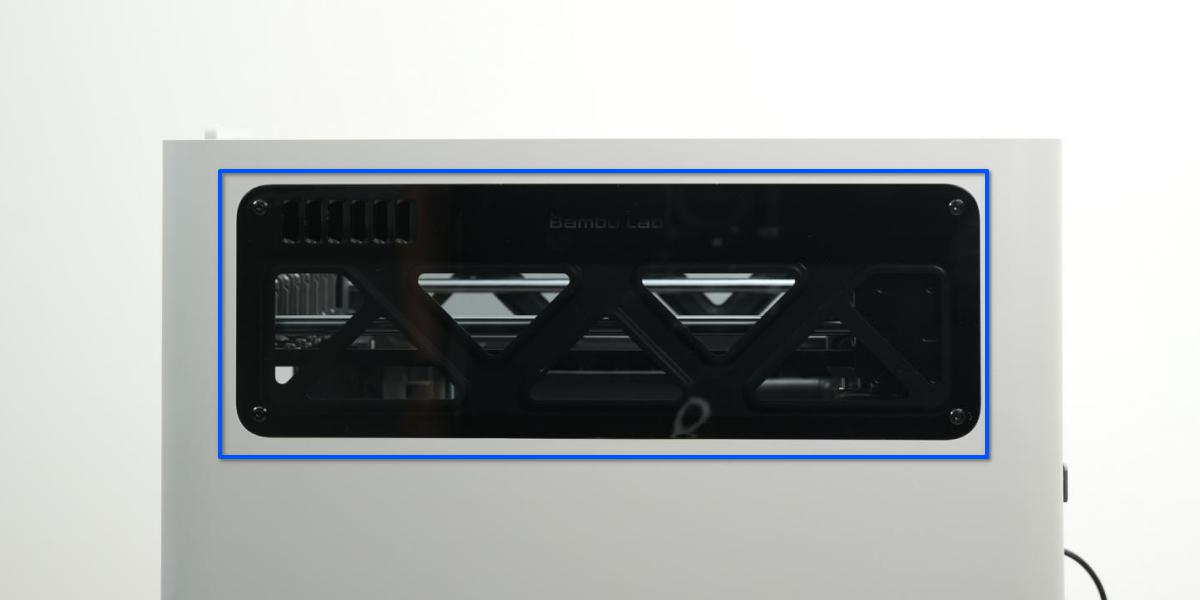
Side Glass
An accessory installed above the left/right side panel of the printer to enhance visibility.
When to Replace
Physical damage affecting its fixation or visibility.
Tools and Materials
- H2.0 allen key
Safety Tips
Before performing any maintenance on the printer and its electronic components (including the Toolhead Cable), turn off the printer and disconnect the power supply to prevent accidental Screen touches or short circuits, which could cause additional electronic damage and safety hazards.
When performing maintenance or troubleshooting on your printer, please first check the temperature of the hotend and heatbed. Avoid operating at high temperatures. If operating at high temperatures is unavoidable, wear insulated gloves to ensure safe and effective maintenance.
Remove the Side Glass
- The removal and installation procedures for the left and right side windows are identical. This guide uses the left side window as an example.
- If the AMS is installed above the printer, you can remove the AMS’s magnetic panel before proceeding.
Passo 1: Remove the Screws
Remove the 4 screws using the H2.0 allen key.

Passo 2: Remove the Side Glass
Push the side glass outward from the inside to loosen it, then remove the glass.

Install the Side Glass
Passo 1: Install the Side Glass
The bottom of the side glass has positioning tabs. When installing, first align the bottom edge of the glass, then press the glass fully against the side panel.
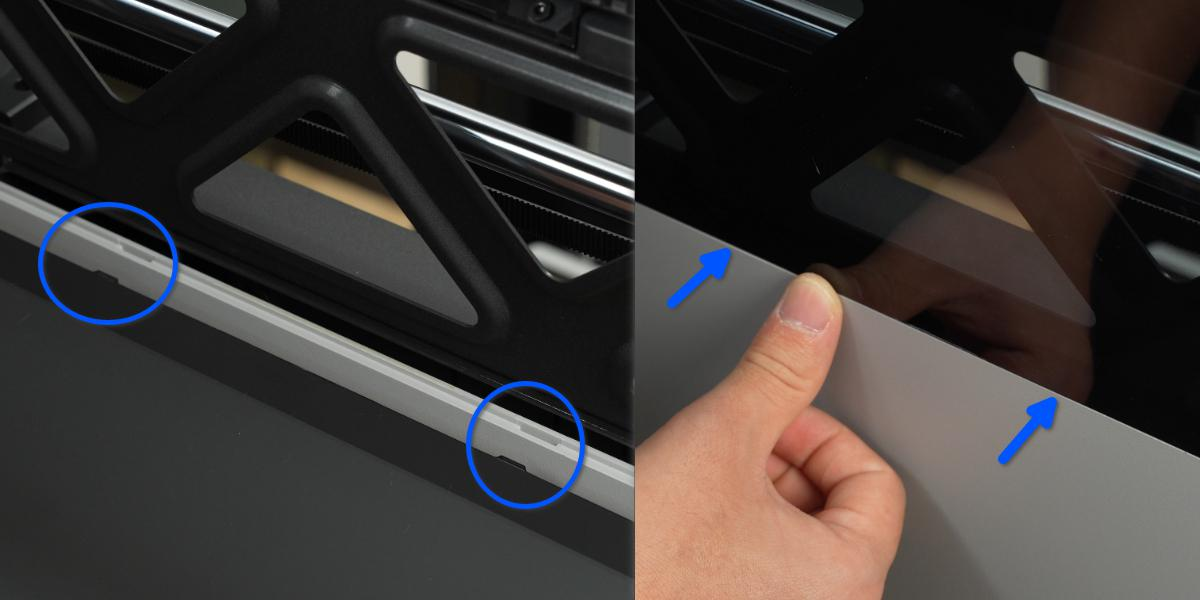
Press the top edge of the side glass (where the small locking tabs are located) to confirm it is fully seated.

Passo 2: Secure the Screws
Tighten the four screws to securely fasten the side glass in place.
Verify Functionality
Check that the side glass is not protruding.
Notas Finais
We hope this guide has provided clear and practical support.
If the issue remains unresolved, please submit a support ticket and include your recent printer logs and additional pictures or other details. Our customer support team will review your request and provide detailed assistance.
You can also visit Bambu AI, which can instantly answer common questions and provide you with operational guidance.