MANUAL DE LIMPEZA DE OBSTRUÇÃO NO HOTEND H3C
MANUAL DE LIMPEZA DE OBSTRUÇÃO NO HOTEND H3C
¶ Partial Clog
When the hotend is clogged with small particulate matter and cannot pass filament completely, it will result in an overly thin extrusion line width or no filament extrusion. Furthermore, instability in hotend pressure and flow can lead to inaccurate K-value calibration for Dynamic Flow, affecting print quality.
¶ Causes of Clogs
Hotend clogs are a common issue with FDM 3D printers and can be caused by the following factors:
- Inconsistent filament diameter.
If the filament is too thick, it can easily get stuck inside the hotend; if the filament is too thin, the extruder gears will not be able to grip it. Both scenarios will prevent the hotend from extruding filament.
-
Impurities on the filament surface or inside the extruder enter the hotend, causing partial or complete blockage.
-
Filament expands due to heat in the hotend heatsink area, causing a clog.
-
Particulates in the filament clog the nozzle tip (common with carbon fiber reinforced, glow-in-the-dark, or sparkling filaments).
-
Residue from a previously used filament when switching to a different type (e.g., PLA with PC, ASA with TPU).
¶ Required Tools
-
Unclogging Pin
-
Pliers
-
A short piece of filament
-
Heat-resistant gloves
¶ Safety Tips
¶ Case 1: Attempting to Extrude While Heating
¶ Passo 1: Remova a Impressora
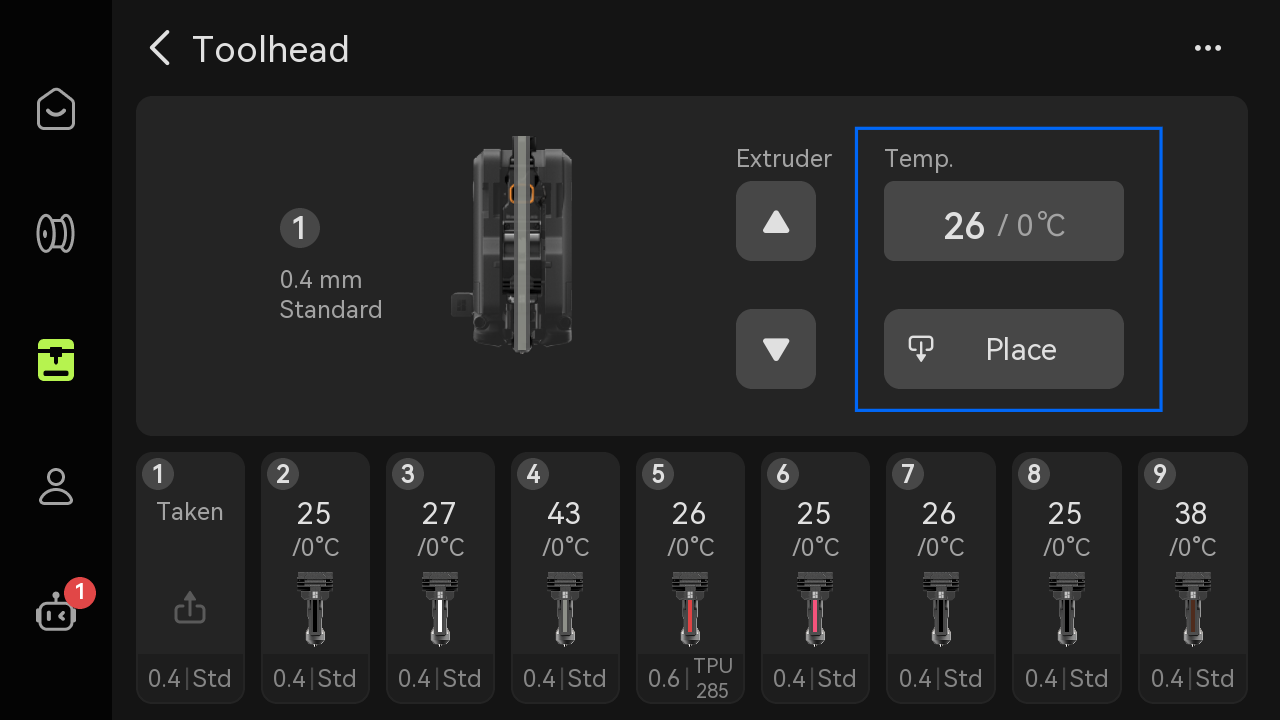
Set the hotend temperature to 0℃, then tap ‘Nest’ on the screen.
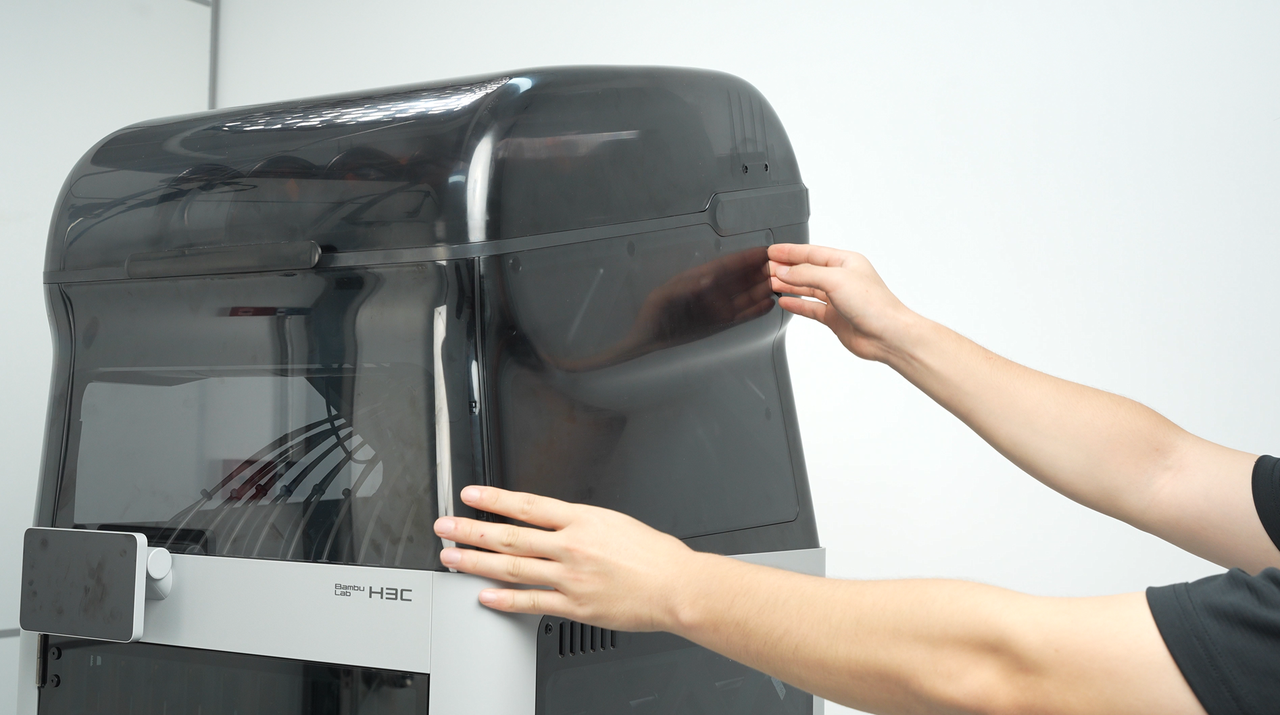
Remova a cobertura lateral magnética do AMS.
 |
 |
Após o hotend esfriar até a temperatura ambiente, coloque luvas resistentes ao calor e segure a parte superior da ferramenta de impressão.
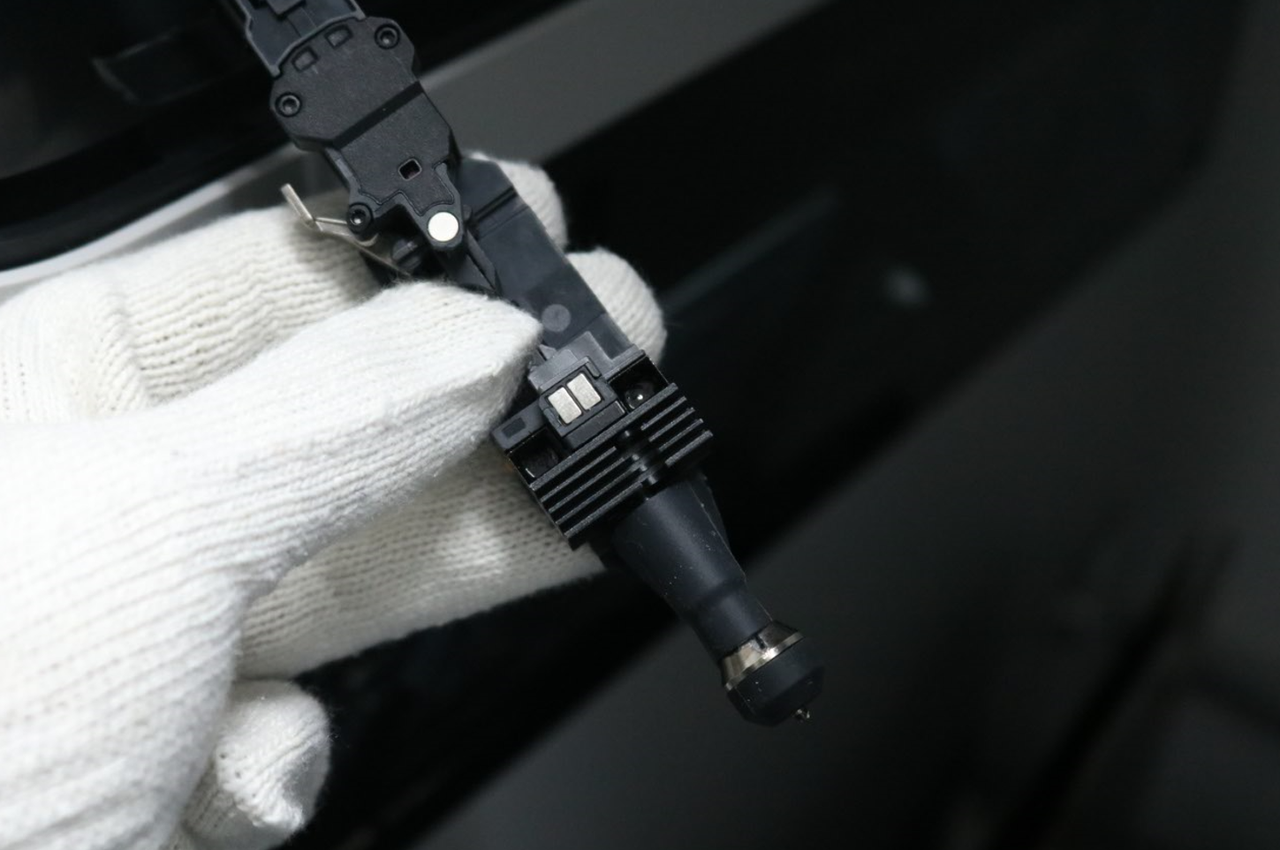
Aperte para baixo nas lâminas de bloqueio pretas laterais e remova a tubulação de filamento da ferramenta de impressão.

¶ Passo 2: Heat the Hotend
Increase the hotend temperature to slightly above the temperature required for the filament (for PLA, set the hotend temperature to 250℃).

¶ Passo 3: Push in Filament
Once the set temperature is reached, insert a piece of filament from the top and push it downward.

Ensure the filament enters the hotend.
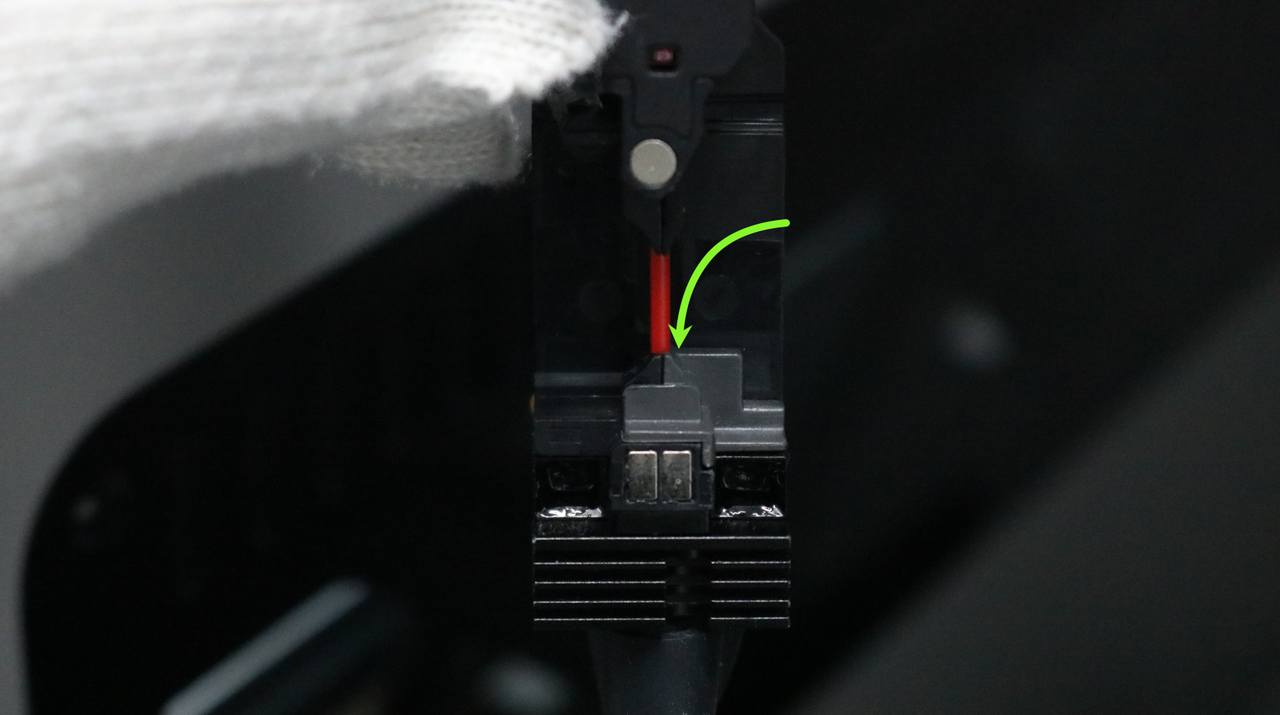
Observe if the old filament is completely extruded. The filament should flow out in a continuous straight line, as shown below:

If you cannot extrude filament, check if the filament type is correct (e.g., if the type set on the screen matches the physical filament). If the filament settings are correct, proceed to the next step.
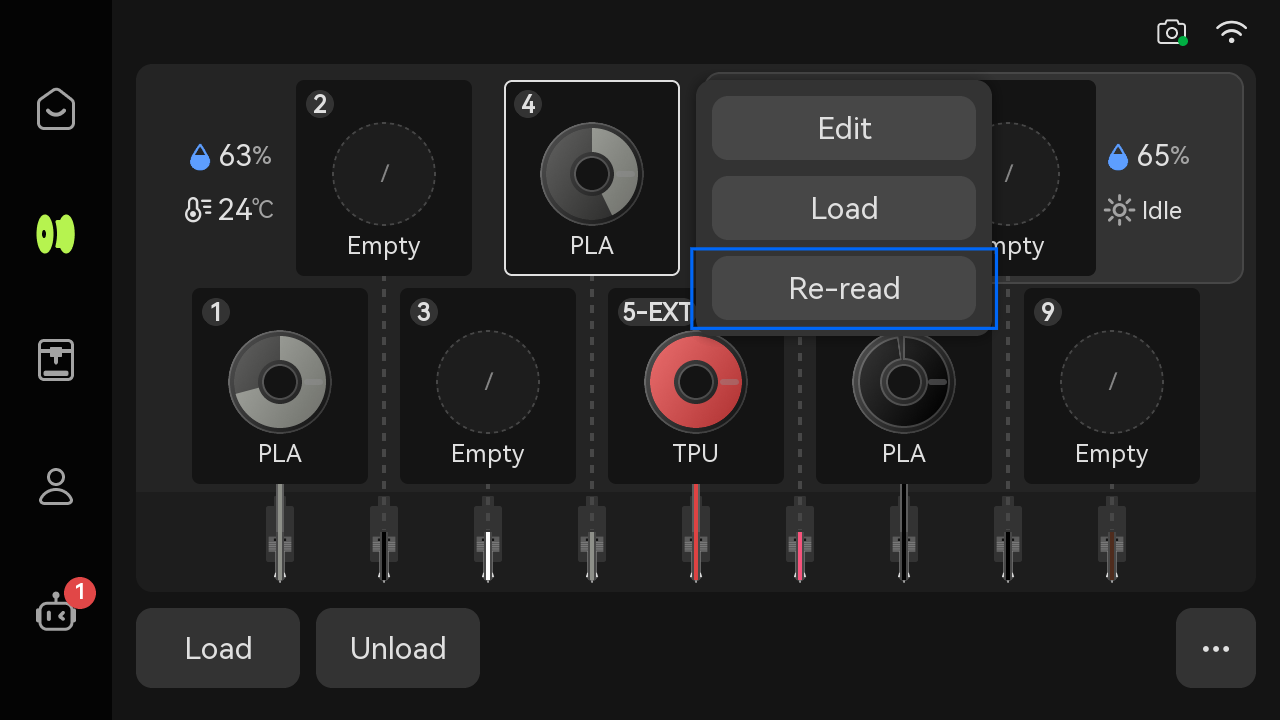
If the filament extrudes smoothly, it indicates the hotend is not clogged, and the resistance may stem from other parts. Check if the filament tube is bent or if the filament is tangled.
¶ Case 2: Impurities or Particulates inside the Hotend
¶ Passo 1: Aquecer o hotend H3C
Increase the hot end temperature to slightly higher than the temperature required by the consumables (take PLA as an example, set the hot end temperature to 250°C at this time).

¶ Passo 2: Unclogging using the Pin
Notificação de Segurança: Para iniciantes ou usuários que não estão familiarizados com este procedimento, é recomendado substituir diretamente o hotend por um novo para evitar os riscos associados à limpeza.
Use a cleaning needle to push any possible blockage into the interior of the hot end.
Using the unclogging pin during cleaning may cause molten filament to spray out due to pressure release. Be sure to wear heat-resistant gloves and safety goggles, keep the hotend facing downward, and strictly avoid pointing the nozzle at people or looking directly at it with a probe.

Take a piece of filament and push it from the top of the hotend, to ensure the filament is flowing as expected.

If you still cannot extrude, the filament may have expanded and caused a clog. Please proceed to Method 3.
If you can extrude, return the print head to its mount and perform a cold pull.
¶ Passo 3: Cold Pull
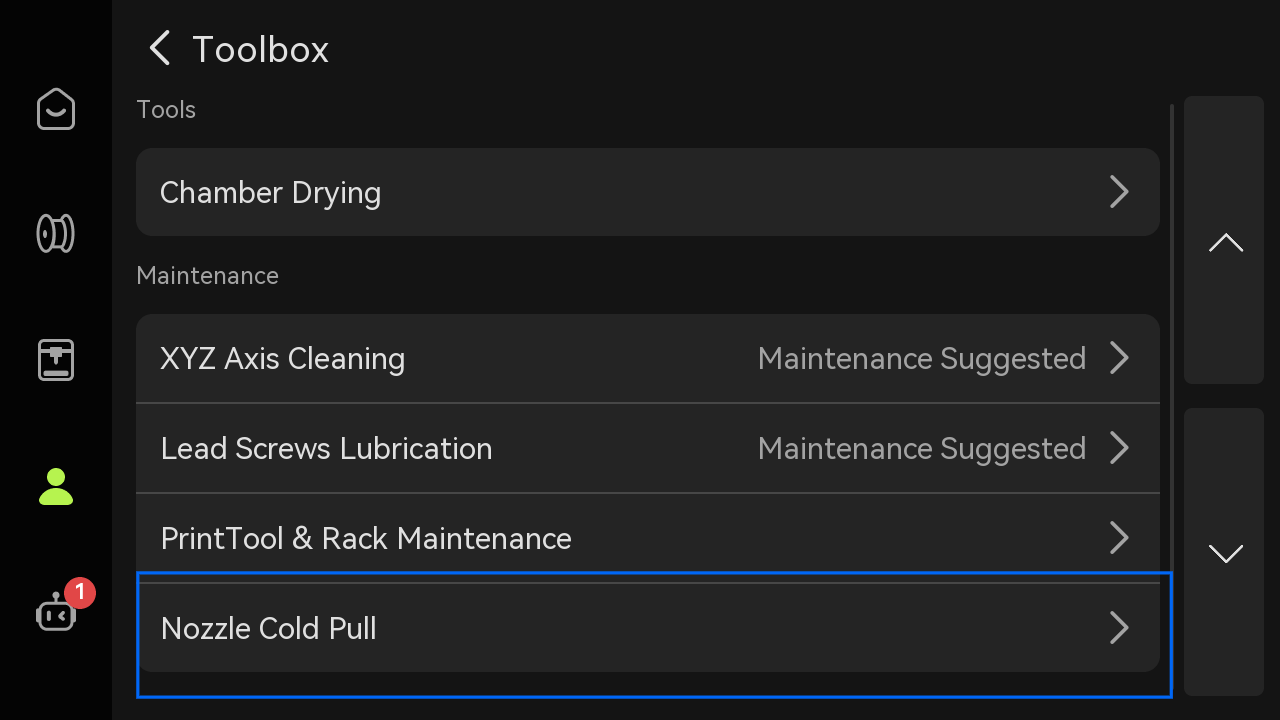
No telão, toque em Configurações > Manutenção > Manutenção por Resfriamento do Hotend para iniciar a manutenção por resfriamento. Você pode encontrar mais detalhes sobre resfriamentos aqui: Guia de Resfriamento do Bico para a Bambu Lab H3C.
¶ Case 3: Filament Expansion in the Hotend Causing a Clog
Please press the upper cutter handle first.

After cutting the filament, the cutter blade may get stuck; Press the lower lever to reset it and prevent loading/unloading failures.

Use diagonal pliers to cut the filament in the middle, then pull out the upper part.

The hot end needs to be heated to the printing temperature on the screen (for example, 220 ℃ for PLA).
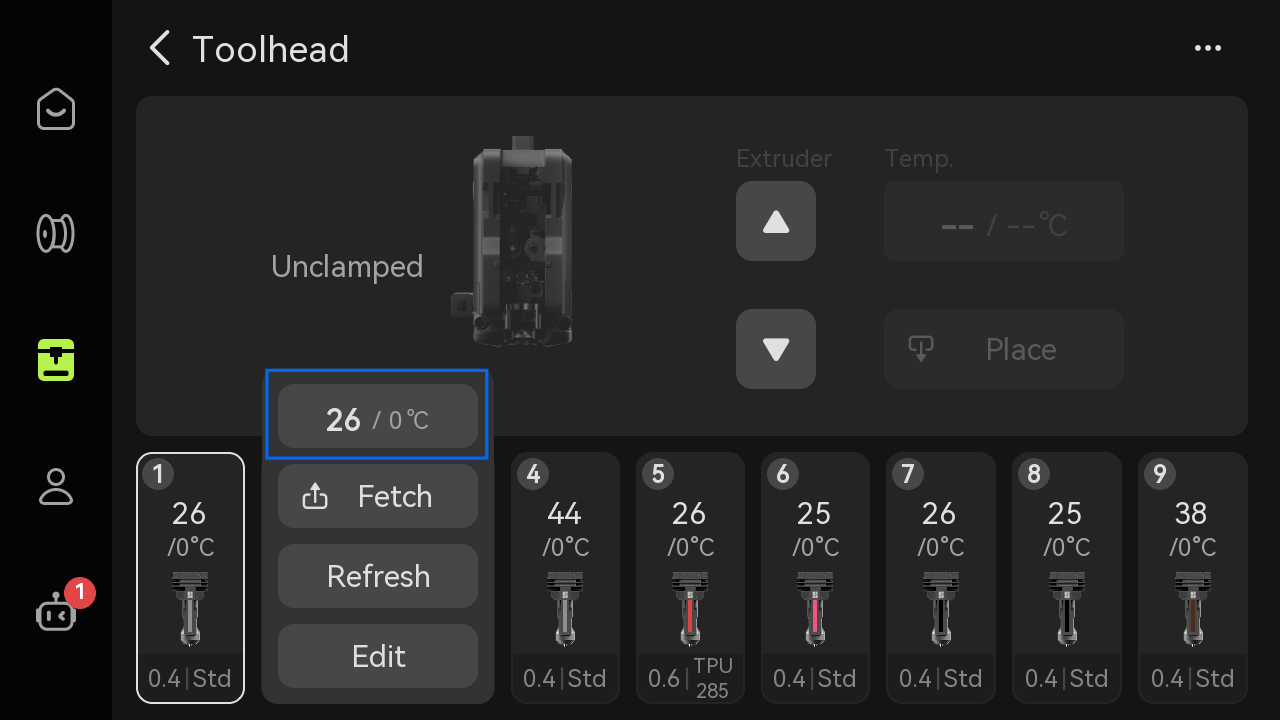
Then carefully pull it out with tweezers.
Caution: The hotend remains hot at this time. Always wear heat-resistant gloves during operation to avoid burns.

If the hotend is severely clogged and cannot be pulled out with diagonal cutters, it is necessary to replace the hotend with a new one.
¶ Verify Functionality
Reconnect the filament tube, load filament, and test the extrusion. If you still cannot extrude or have under-extrusion, you will need to repeat the hotend unclogging process multiple times. If normal extrusion cannot be achieved after multiple attempts, please replace the hotend.
¶ Notas Finais
Nos esperamos que este guia tenha fornecido suporte claro e prático.
Caso o problema permaneça inresolvido, por favor, envie um ticket de suporte e inclua seus registros de impressora recentes e imagens adicionais ou outros detalhes. Nosso time de suporte ao cliente revisará sua solicitação e fornecerá assistência detalhada.
Você também pode visitar Bambu AI, que pode responder instantaneamente a perguntas comuns e fornecer orientações operacionais.