Flow Blocker Replacement Guide for the X2D
Bambu Lab X2D • Série Avançada X2
Flow Blocker Replacement Guide for the X2D
Flow Blocker
🔎 Find the X2D Flow Blocker in the Bambu Lab store.
The flow blocker is an accessory installed on the toolhead that seals inactive nozzles to prevent oozing.
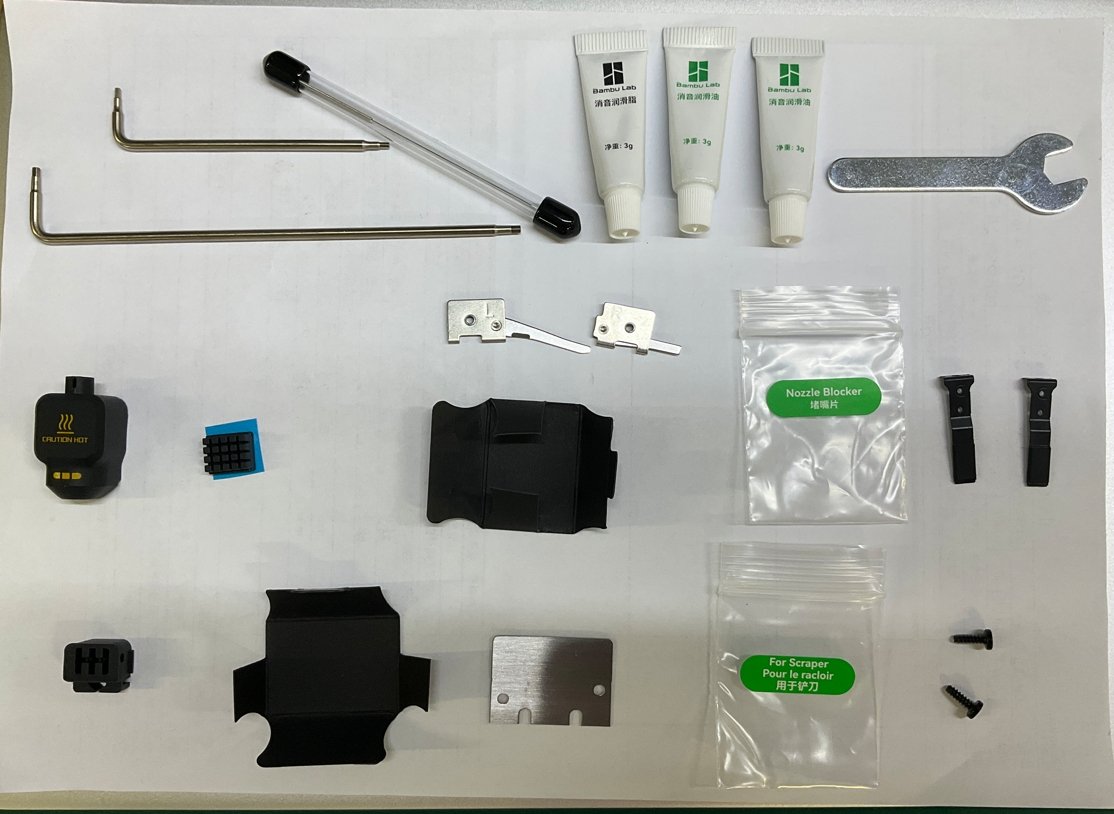
The flow blocker accessory package includes:
- Flow Blocker
- Fixing Screw

You can find the flow blocker in the accessory box.
Applicable printer model
Bambu Lab X2D
When to Replace
Flow blocker is deformed or damaged.
Required Tools and Materials
- New flow blocker
- H1.5 allen key
Aviso de Segurança
⚠️ IMPORTANT!
It’s crucial to power off the printer before conducting any maintenance work, including work on the printer’s electronics and tool head wires. Performing tasks with the printer on can result in a short circuit, leading to electronic damage and safety hazards.
During maintenance or troubleshooting, you may need to disassemble parts, including the hotend. This exposes wires and electrical components that could short circuit if they contact each other, other metal, or electronic components while the printer is still on. This can result in damage to the printer’s electronics and additional issues.
Therefore, it’s crucial to turn off the printer and disconnect it from the power source before conducting any maintenance. This prevents short circuits or damage to the printer’s electronics, ensuring safe and effective maintenance. For any concerns or questions about following this guide, we recommend submitting a chamado técnico relatando o seu problema. and we will do our best to respond promptly and provide the assistance you need.
Video Guide
Remove flow blocker
Passo 1. Open the toolhead front cover
Open the toolhead front cover and hang it on top of the toolhead to facilitate subsequent operations.

Passo 2. Remove flow blocker
-
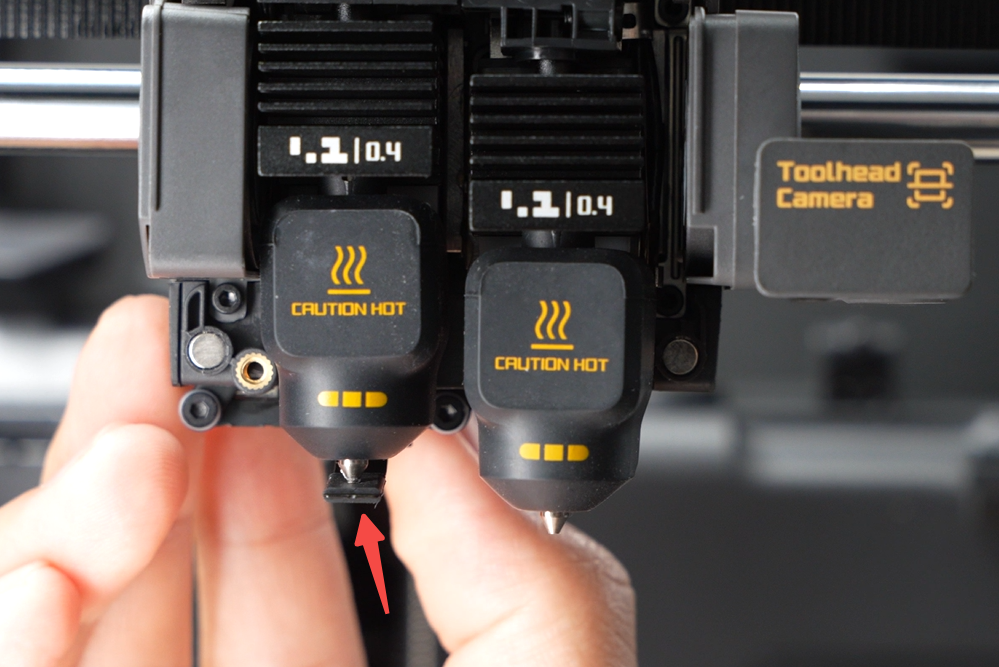
Push the flow blocker lever to the left to move the flow blocker to the left hotend position.
-
Use an H1.5 allen key to unscrew one screw from the rear of the toolhead, then remove the flow blocker.

Install the flow blocker
Passo 1. Install flow blocker
Ensure the right auxiliary hotend is in the lowest position, align the flow blocker’s round hole with the mounting post, and install it onto the flow blocker support bracket.Use an H1.5 allen key to tighten one screw from the rear of the toolhead to secure the flow blocker.

Passo 2. Close the toolhead front cover
The toolhead front cover is magnetically secured to the toolhead middle housing. Close the front cover and ensure it is fully latched.

Verifying Success
✅ Move the flow blocker lever left and right to ensure the flow blocker fits tightly against the nozzle.
If you encounter any issues, please retrace your steps and check all connections before trying again. If the problems persist, please contact the Bambu Lab service team for further assistance.
Notas Finais
We hope this guide has provided clear and practical support.
If the issue remains unresolved, please submit a support ticket and include your recent printer logs and additional pictures or other details. Our technical team will review your request and provide detailed assistance.
You can also visit Bambu AI, which can instantly answer common questions and provide you with operational guidance.